
What is a Product?
A product is where you model and evolve a complete system or subsystem:- It contains a collection of items, each representing a discrete engineering concept (e.g., requirement, component, interface).
- It includes properties, relationships, and documents that describe the product’s structure and content.
- It maintains version history, enabling you to trace what changed, when, and by whom.
Versions
Every product has exactly one active working version called draft. This is the version you edit day-to-day.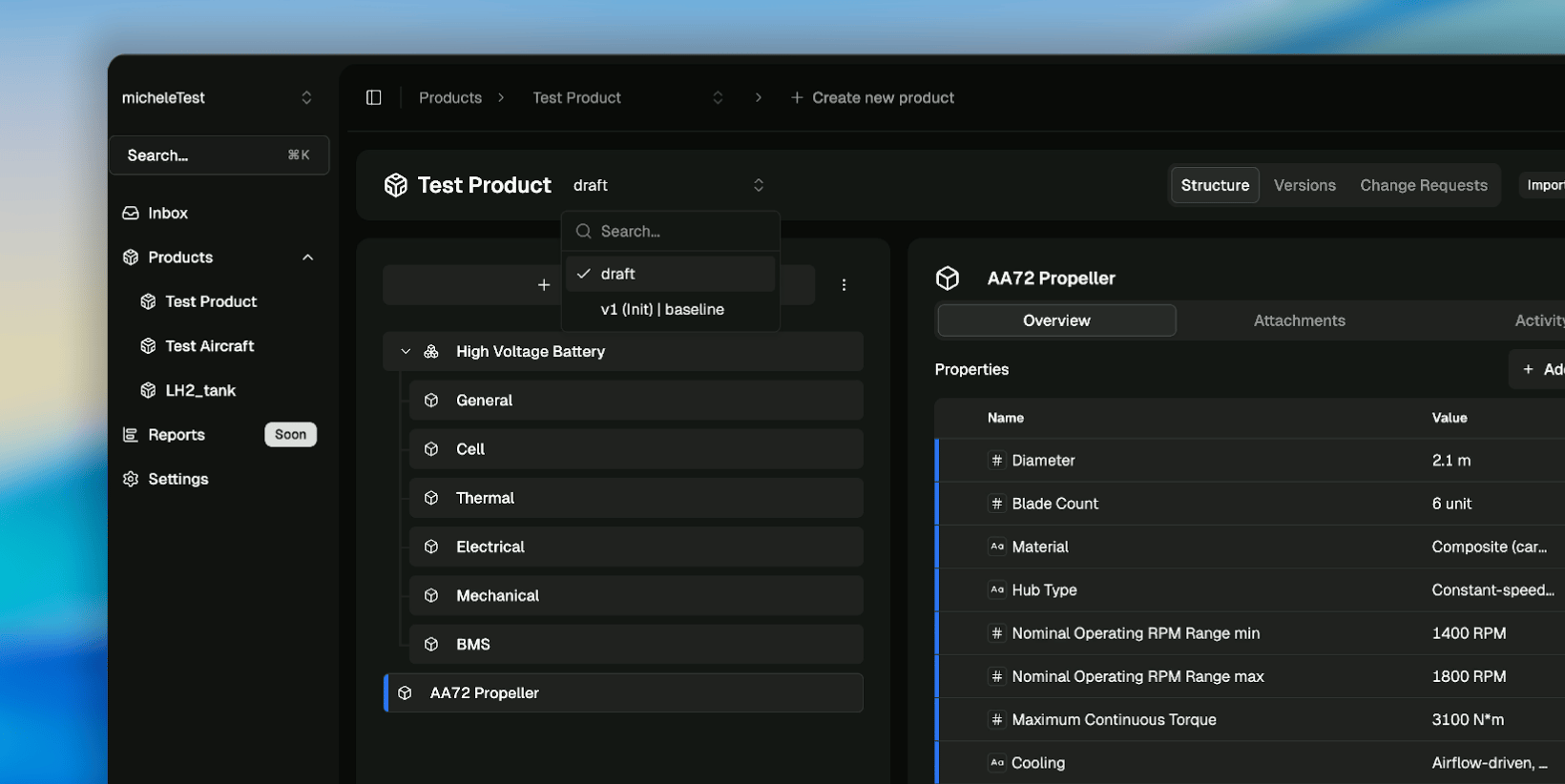
How Versions Work
- The draft version is editable: add, update, or remove items, properties, and documents.
- When you publish a version, Poelis takes a snapshot of the draft and creates a point-in-time version.
- Published versions are immutable: once created, the contents cannot be changed.
- Only the draft can receive changes after publishing.
Baselines
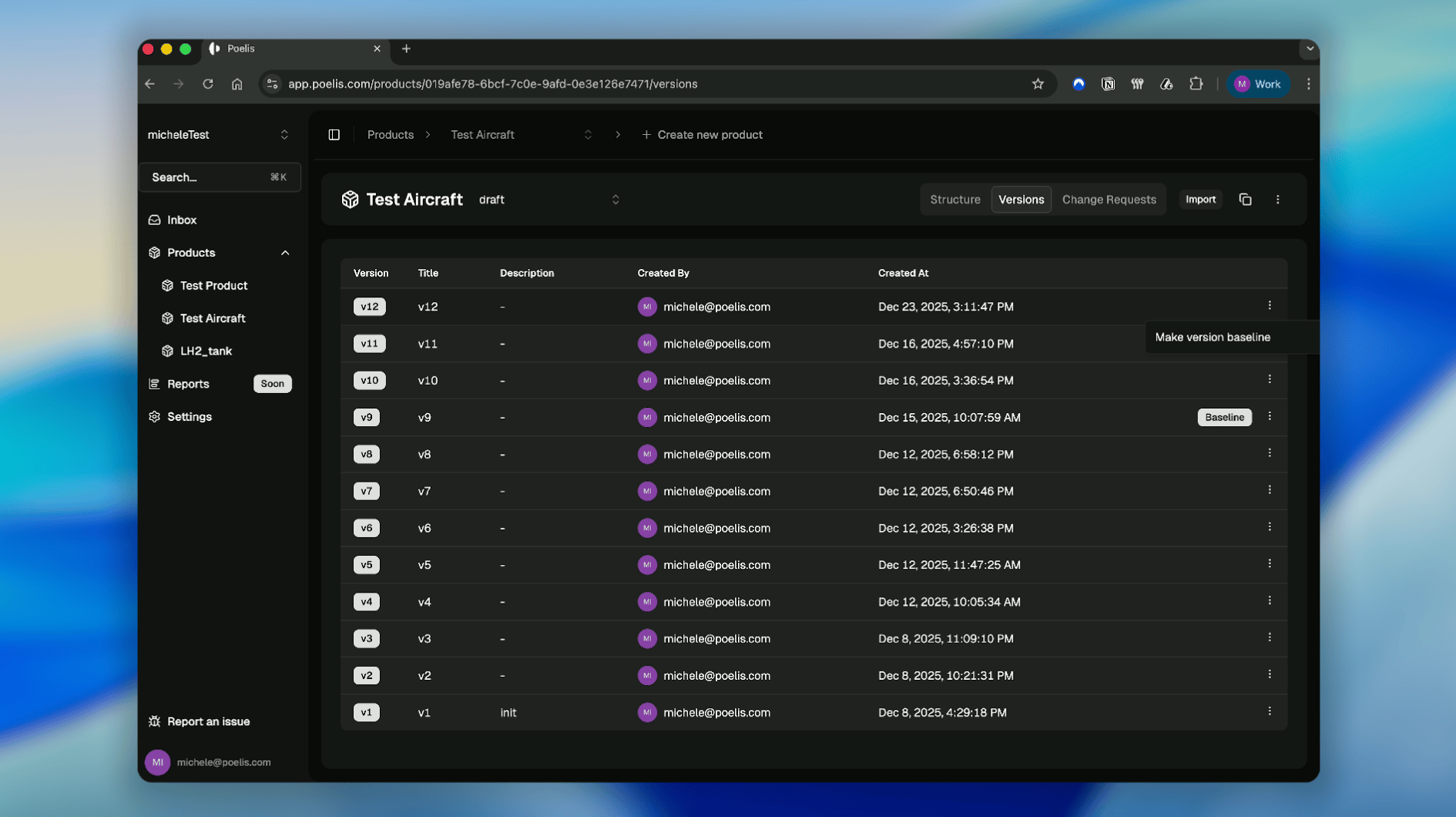
A baseline is a special version you designate as the product’s reference state.- Baselines are also immutable.
- Only one version can be marked as the baseline at a time.
- You can change which version is the baseline at any point.
Change Requests
Publishing a version doesn’t automatically include all draft changes. Instead, Poelis uses Change Requests to let you choose exactly what should be part of the next version. When you start a Change Request:- Poelis shows a list of items and properties that have changed in the draft.
- You select which changes should be included in the next version.
- You finalize the selection and publish the version.
Publishing a Version
Only Admins and Product Owners can publish a version. Poelis supports two ways to do it: publish immediately or publish with approvals.Option 1: Publish immediately
- Open the Change Requests tab.
- Select the items and properties to include.
- Add a title and optional description.
- (Optional) Enable Make this version the baseline.
- Click Publish Version.
Option 2: Publish with approvals (review loop)
Use this when you want reviewers to approve changes before publishing.- Open the Change Requests tab.
- Click Request Review.
- Add Reviewers.
- Choose an Approval Mode:
- Any — one reviewer approval is enough.
- All — everyone must approve (in any order).
- Sequential — everyone must approve in order.
- Add a Version Title and optional Version Description.
- (Optional) Enable Make this version the baseline.
- Click Request Review.
What happens next
- A review is created with status Pending.
- You can track it from the Reviews tab or open it from the version panel via Go to active review.
- Reviewers can leave comments, approve, or reject.
Completing the review
Reviewers open the review and click Submit Review, then choose one:- Comment — leave feedback without approving/rejecting.
- Approve — counts toward the approval requirements.
- Reject — closes the review; changes remain in draft.
After publishing
- A new immutable version appears in the product’s version list.
- The draft remains editable for ongoing work.
Duplicating a Product
Poelis lets you duplicate an existing product to create a new one with the same structure and content. When duplicating, you can:- Choose a name and readable ID for the new product.
- Select which version to copy (commonly draft).
- Include items, properties, documents, and dependencies.
When to Create a Product
Create a new product when:- You are modeling a distinct system or subsystem.
- You need a separate version history from existing products.
- You want to manage a different set of items, releases, or baselines.