
Where to find it
This functionality is only available to organization’s administrators- Open Settings.
- In Organization Data Export, click Export data.
Choose what to export
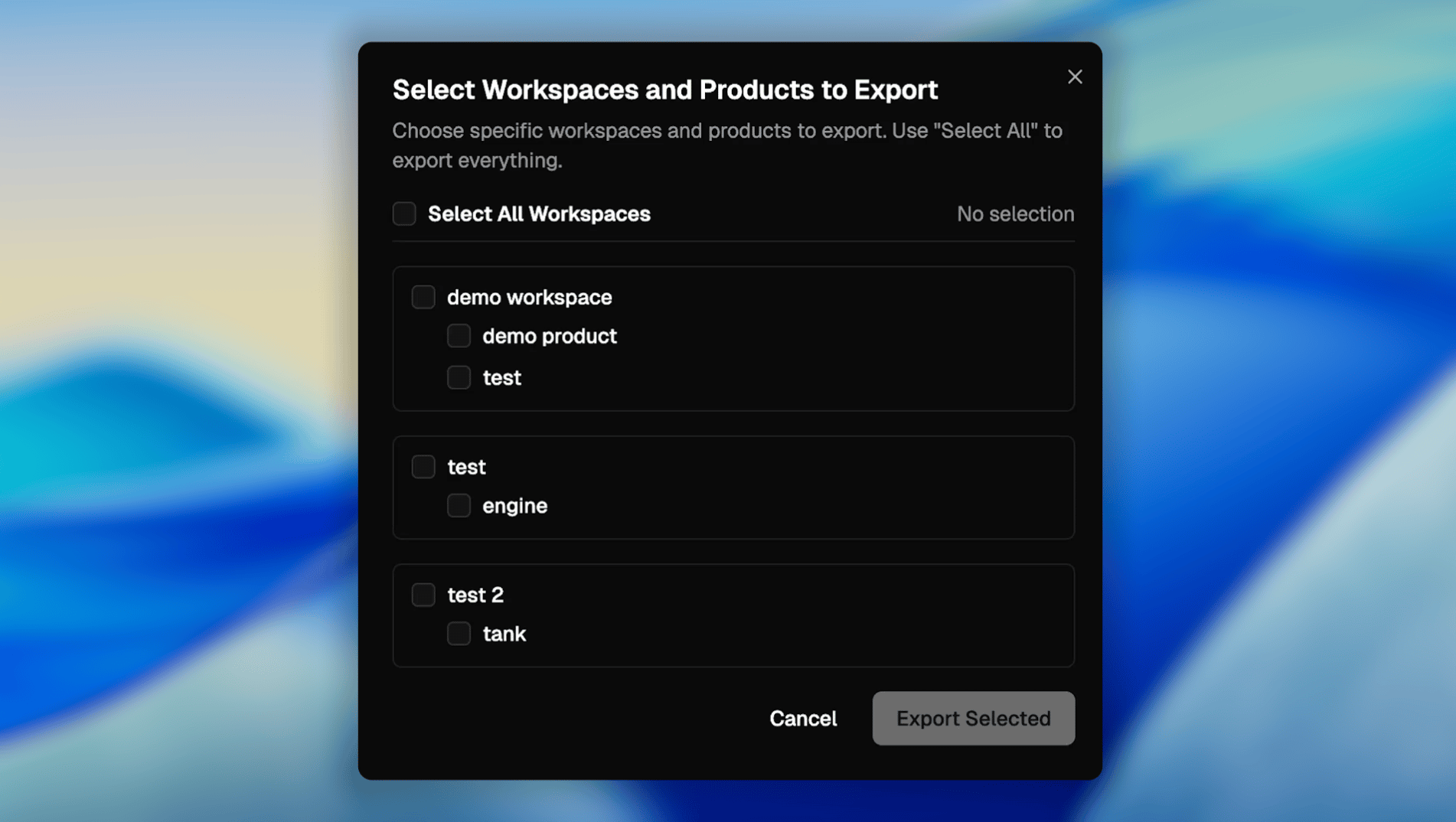
The export dialog is organized as a tree:- Select All Workspaces (top option)
- A list of workspaces, each expandable to show its products
Export everything
To export the whole organization snapshot:- Enable Select All Workspaces.
- Click Export Selected.
Export specific workspaces / products
To export only a subset:- Expand the workspace(s) you want.
- Select either:
- the workspace checkbox (includes all its products), or
- specific product checkboxes (includes only those products)
- Click Export Selected.
What you get
When you click Export Selected, Poelis generates a downloadable JSON file containing a snapshot of the selected scope. In general, expect the export to include:- Workspace and product structure (hierarchies)
- Entities and their fields (e.g., items, properties, metadata)
- Relationships needed to reconstruct the structure (parent/child, references)
Permissions and access rules
Exports follow the same access boundaries as the app:- You can only export workspaces/products you can see.
- If you can see a workspace but not a product (or vice versa), selection and output reflect that.